

How do I prepare the Waste Management Plan?
Through Green Halo, applicants can submit and receive approval for their plan, upload all recycling receipts and supporting documents, and track submissions- all from the convenience of their home or office, 24/7.
For projects requiring a Waste Management Plan, a project will be automatically created in Green Halo and assigned to the permit applicant. Do not create your own project, as duplicates will be deleted. The applicant should receive an automatic email from Green Halo with instructions for accessing the system.
If you need assistance or would like to assign the project to someone else, please contact us at sustainability@smcgov.org or
Fees and Fines: A $95 administrative fee will be added electronically to Accela when Section One of the plan is completed. The County’s Building Department collects this fee before the permit is issued. Projects that fail to provide required recycling receipts or documentation, or do not meet the 65% minimum recycling rate, may be fined up to $1,000.
Projects that require a Waste Management Plan are automatically created in Green Halo. The permit applicant should receive an email from Green Halo Systems stating that a project has been assigned to them.
If the permit applicant did not receive the email, or if you need to assign the project to someone else, contact us at sustainability@smcgov.org or 888-442-2666 x0 for assistance.
Step 1: Create Account
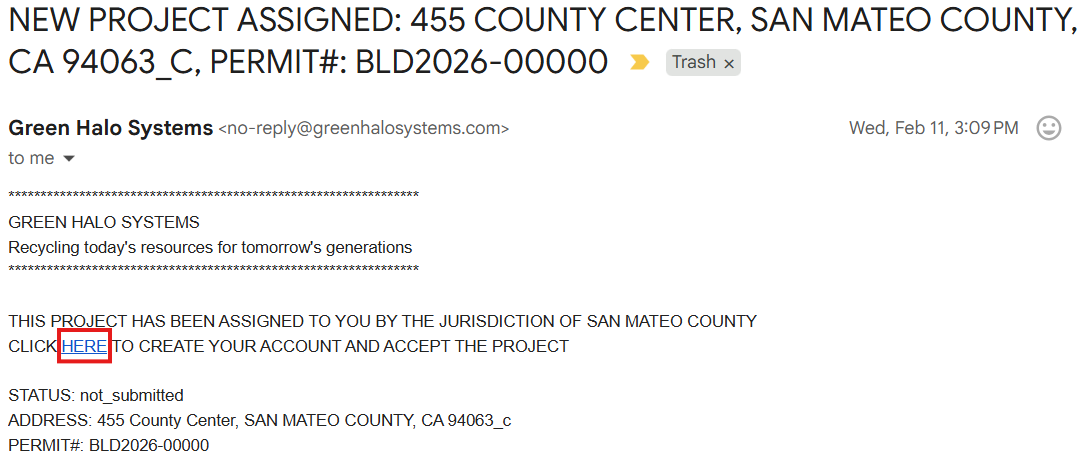
In the email from Green Halo, click the HERE link to create your account and accept the project.
If you did not receive the activation email, you may alternatively register here.
Step 2: Select Plan
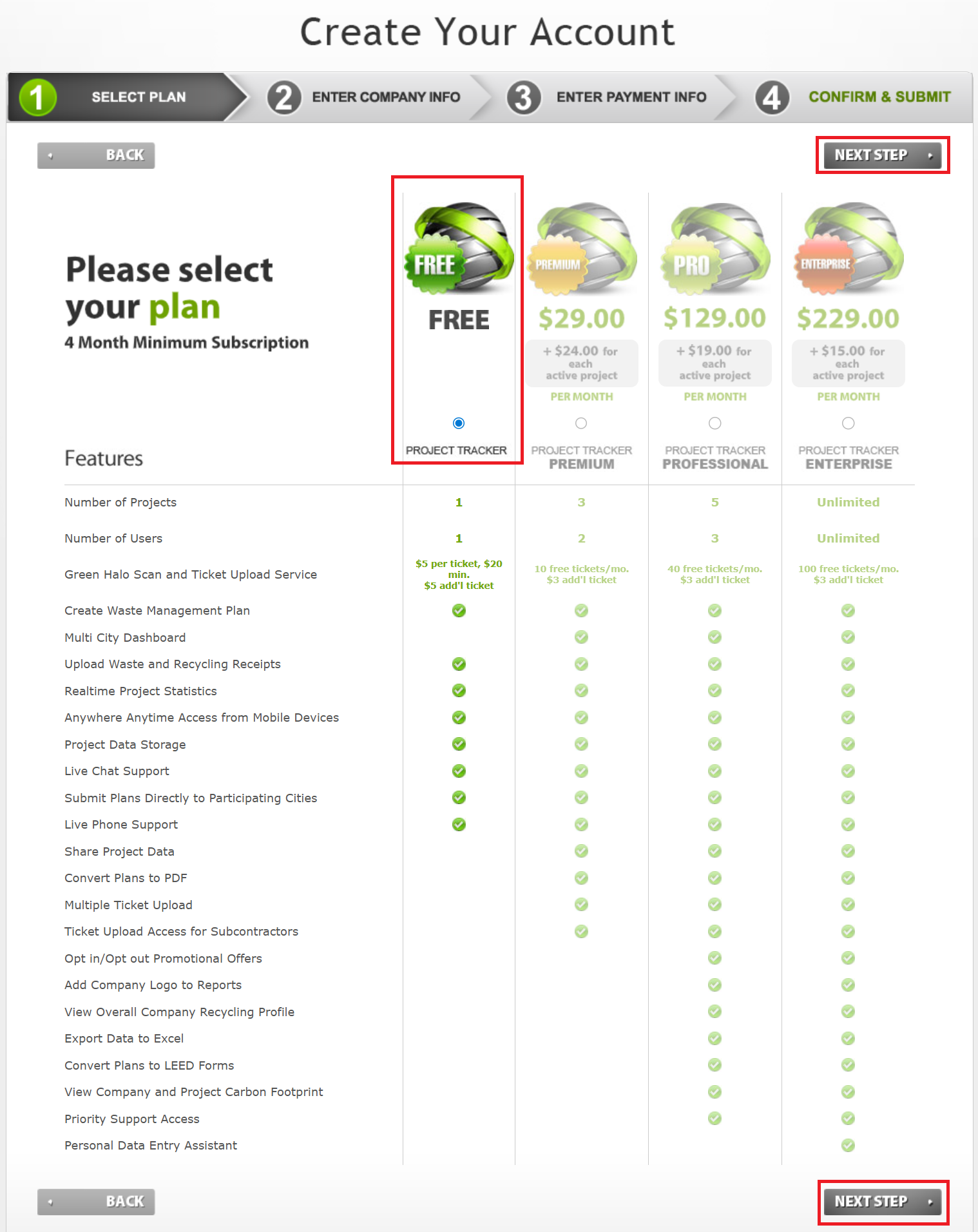
You will be directed to the Green Halo Create Your Account page. Select a plan to continue- the default is the FREE option, but you may choose and pay for a paid plan if desired.
Note: selecting the FREE option skips the ENTER PAYMENT INFO page.
Step 3: Enter Company Info
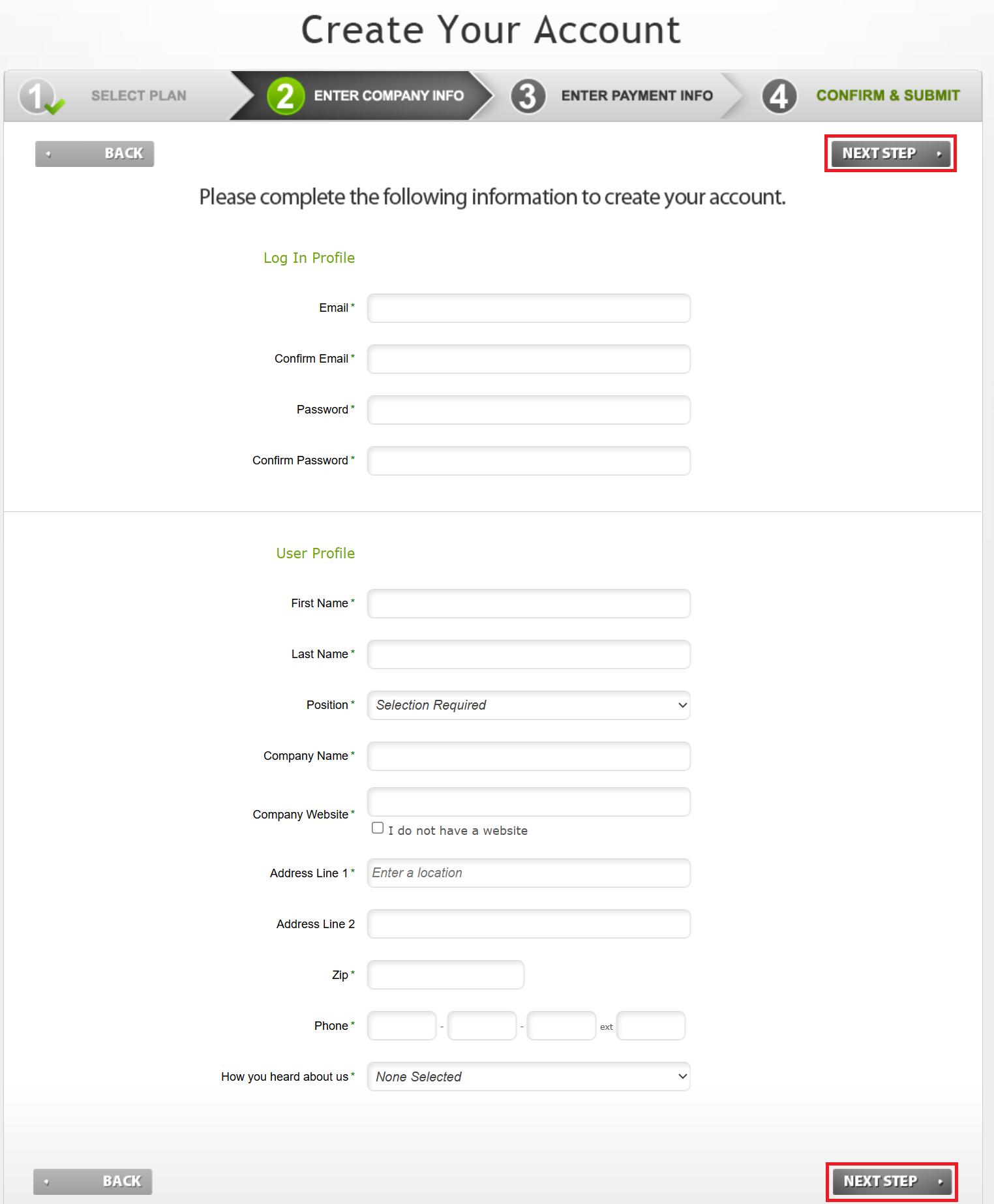
Fill out the Log In Profile and User Profile.
Step 4: Confirm & Submit
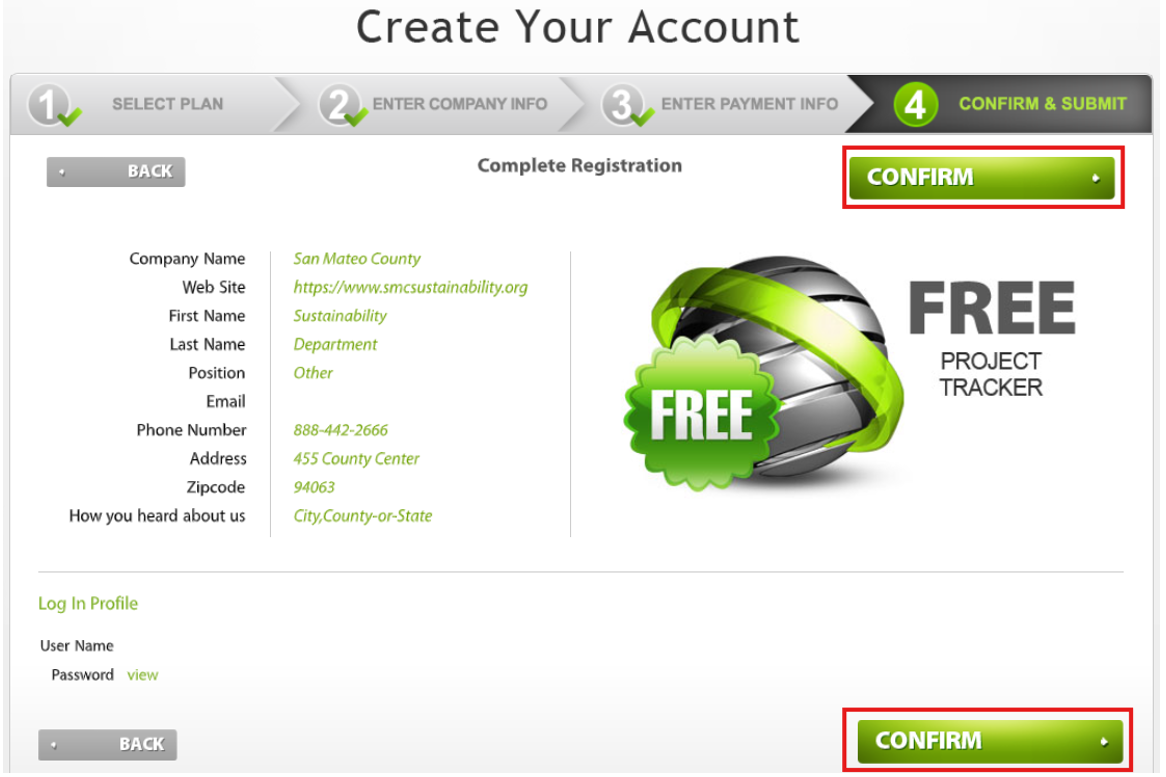
Review your information and click CONFIRM to create your account.
Step 5: Activate Account
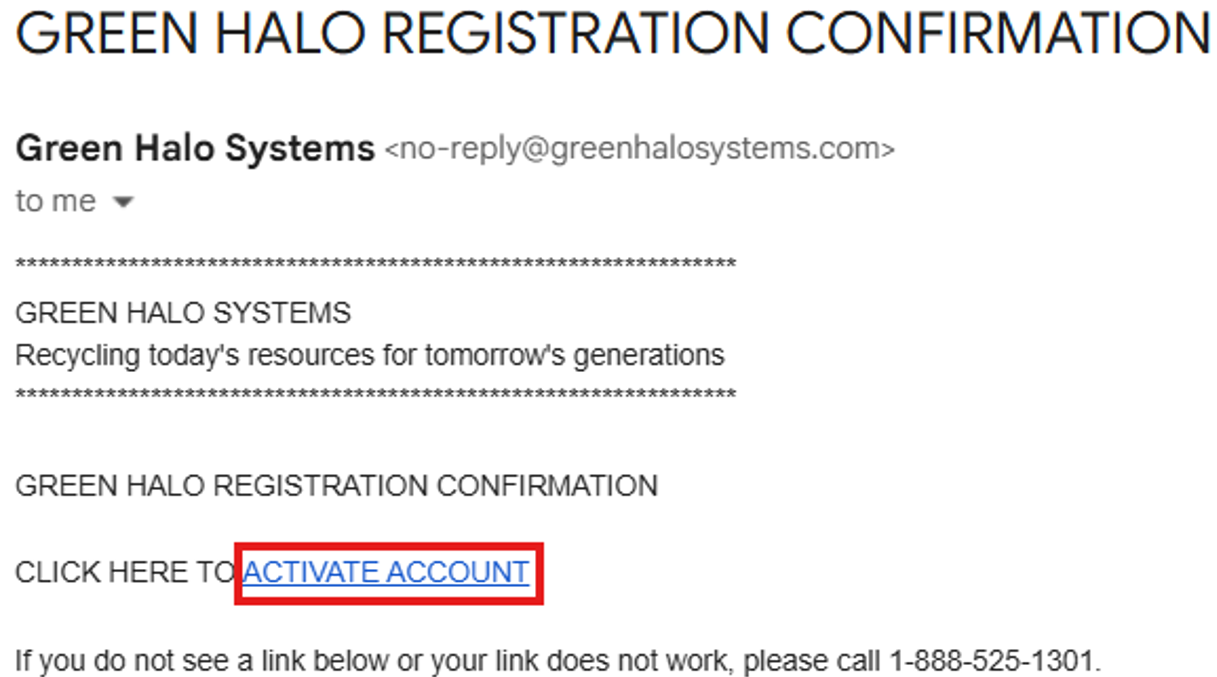
You will receive a GREEN HALO REGISTRATION CONFIRMATION email. Click the ACTIVATE ACCOUNT link to complete setup. Note that Green Halo cannot be used until this step is completed.
If you did not receive the email, contact Green Halo via their website or call 888-525-1301 for assistance.
Before a permit can be issued, applicants must estimate the types of materials the project will generate- including mixed construction and demolition (C&D) debris- and submit a plan for how those materials will be reused or recycled in accordance with the County’s Building Regulations.
Step 1: Accept Assigned Green Halo Project
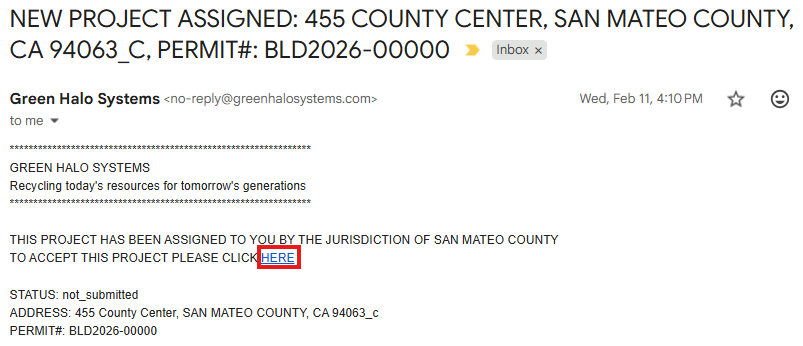
The permit applicant should receive an email from Green Halo Systems stating that a project has been assigned to them. In the email, click the HERE link to accept the project.
If the permit applicant did not receive the email, or if you need to assign the project to someone else, contact us at sustainability@smcgov.org or 888-442-2666 x0 for assistance.
Do not create your own project. It results in duplicates and will be deleted.
Step 2: Login to Green Halo
Login to smcgov.wastetracking.com.
Step 3: Select Your Project
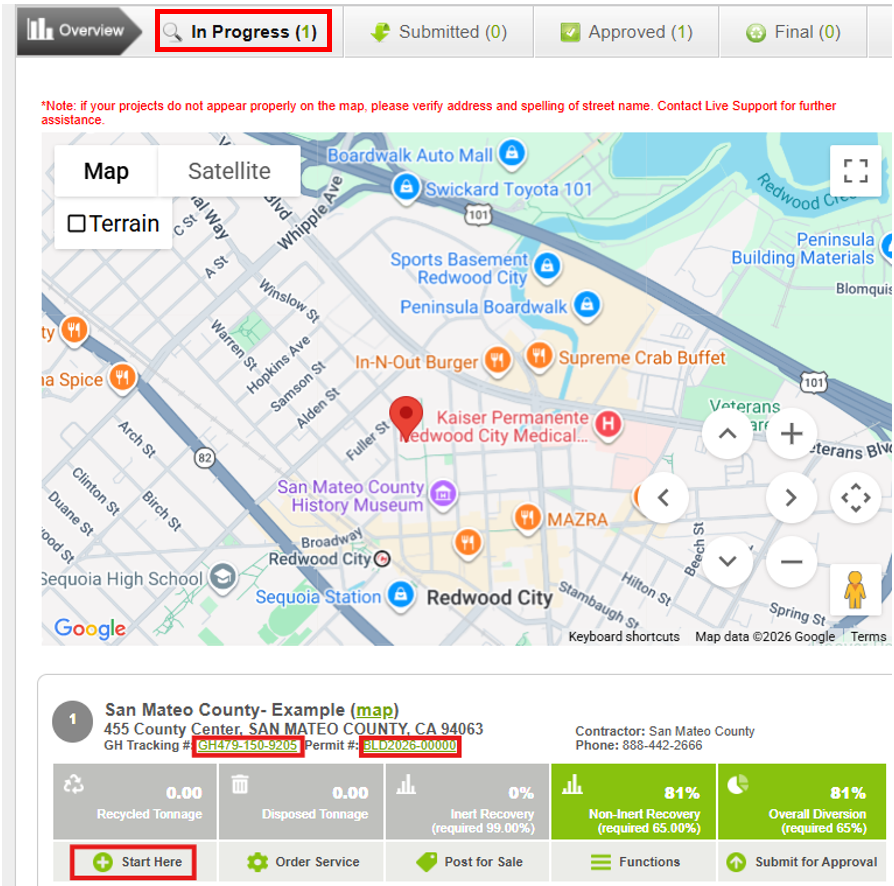
From your Dashboard, click In Progress. Go to your project and click on either your GH Tracking #, Permit #, or Start Here.
Step 4: Project Information
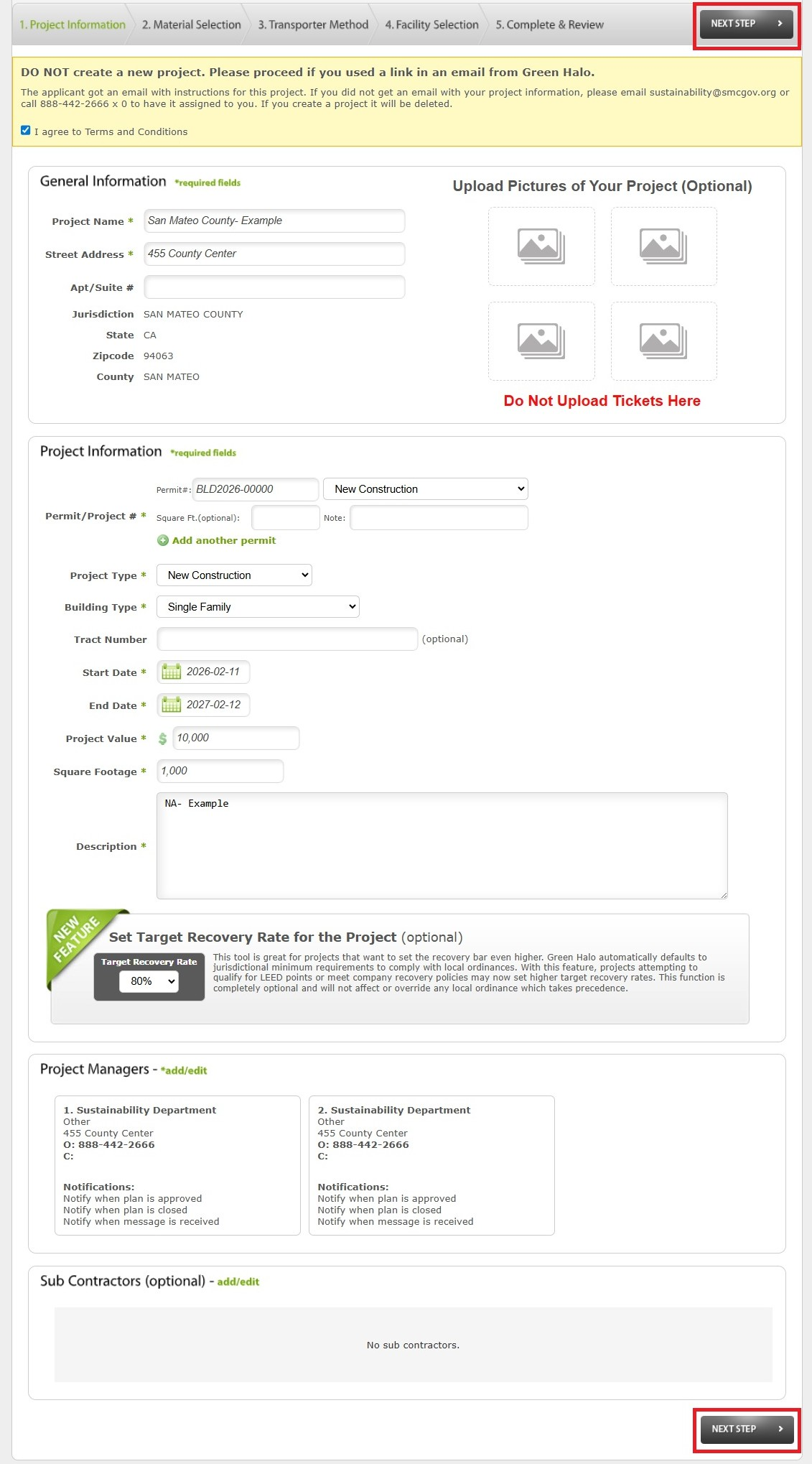
Review the contents and make changes if appropriate.
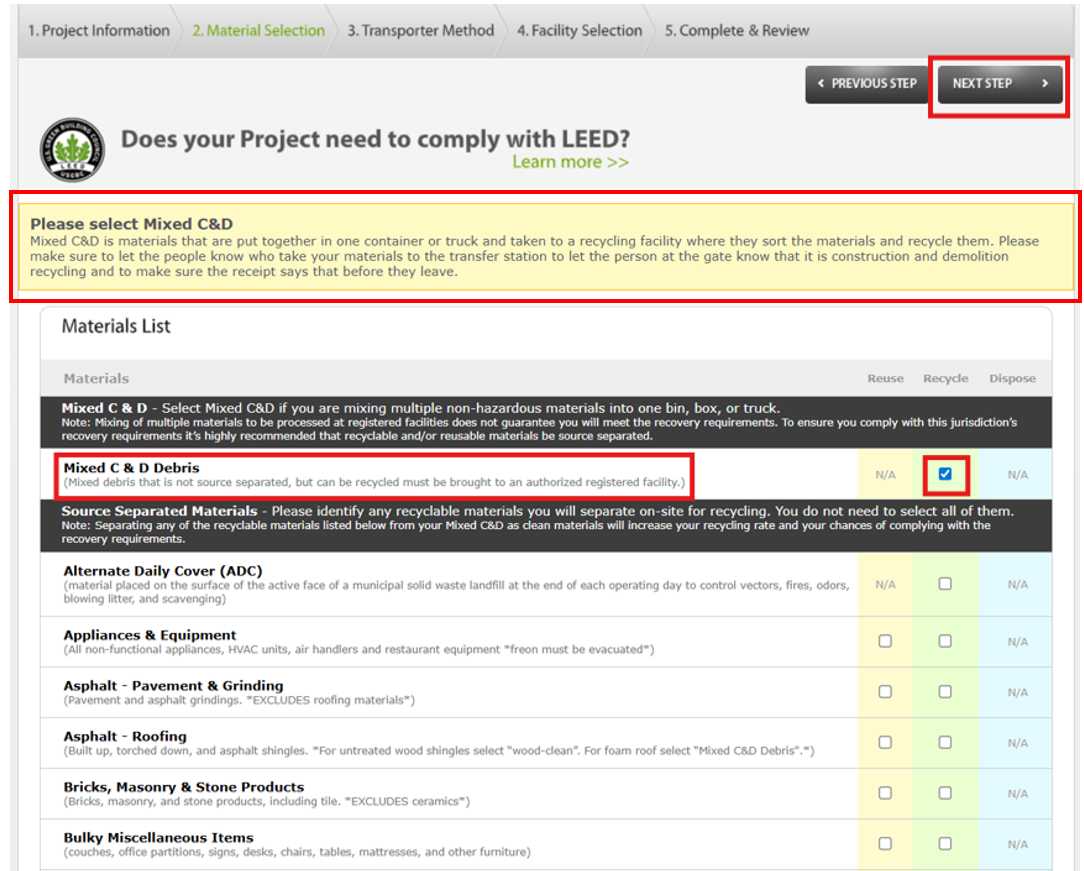
Step 5: Material Selection
All projects must select mixed construction & demolition debris (Mixed C&D Debris), as it is typically generated on every project.
- If you are not source separating materials, no additional selections are needed.
- If you plan to source separate materials for reuse or recycling, you may select those materials in addition to Mixed C&D.
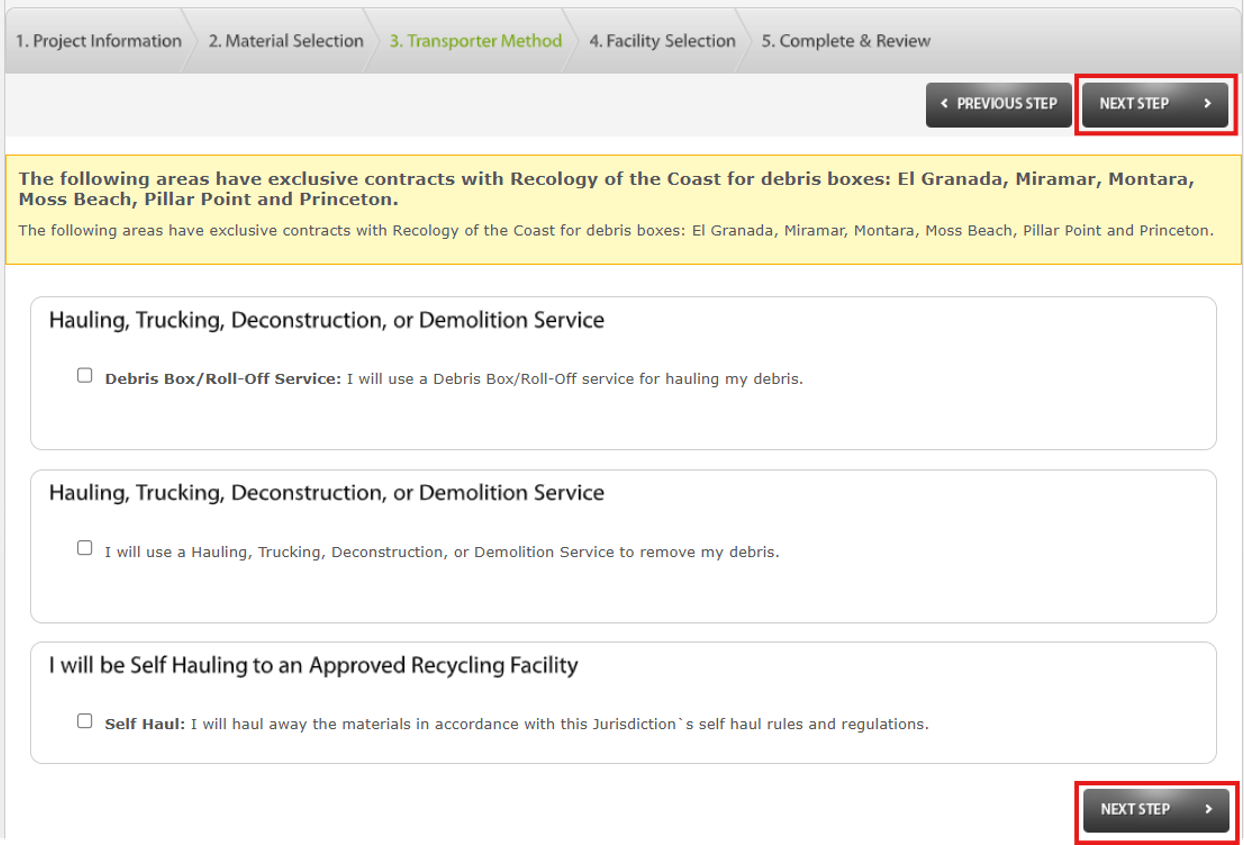
Step 6: Transporter Method
Select how you plan to transport your materials.
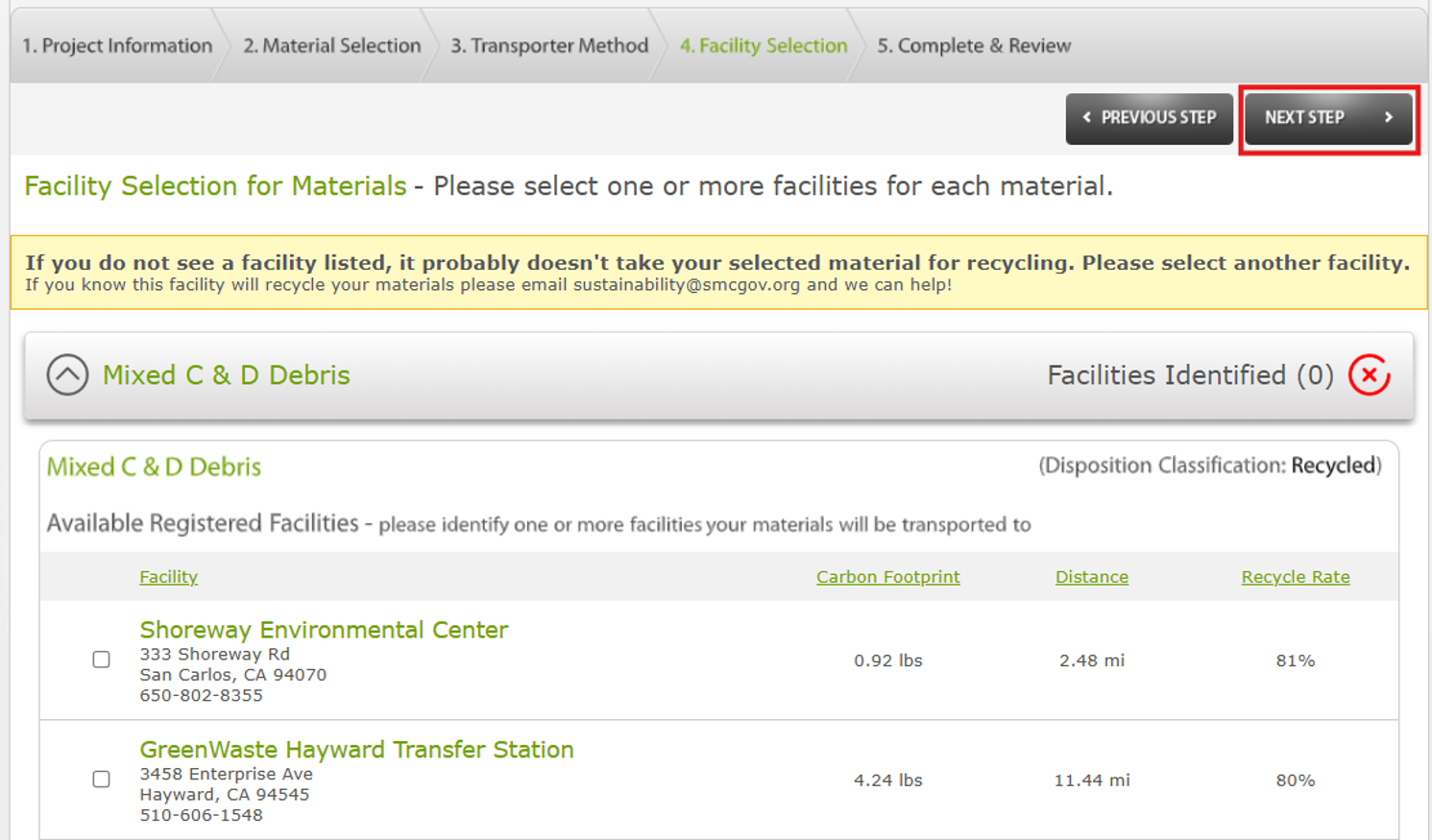
Step 7: Facility Selection
For each material selected, choose only the specific facility or facilities you plan to use for recycling or disposal.
- Do not select multiple facilities unless you genuinely intend to use all of them.
- All facilities listed are County approved. Facilities not shown are not approved and may not be used.
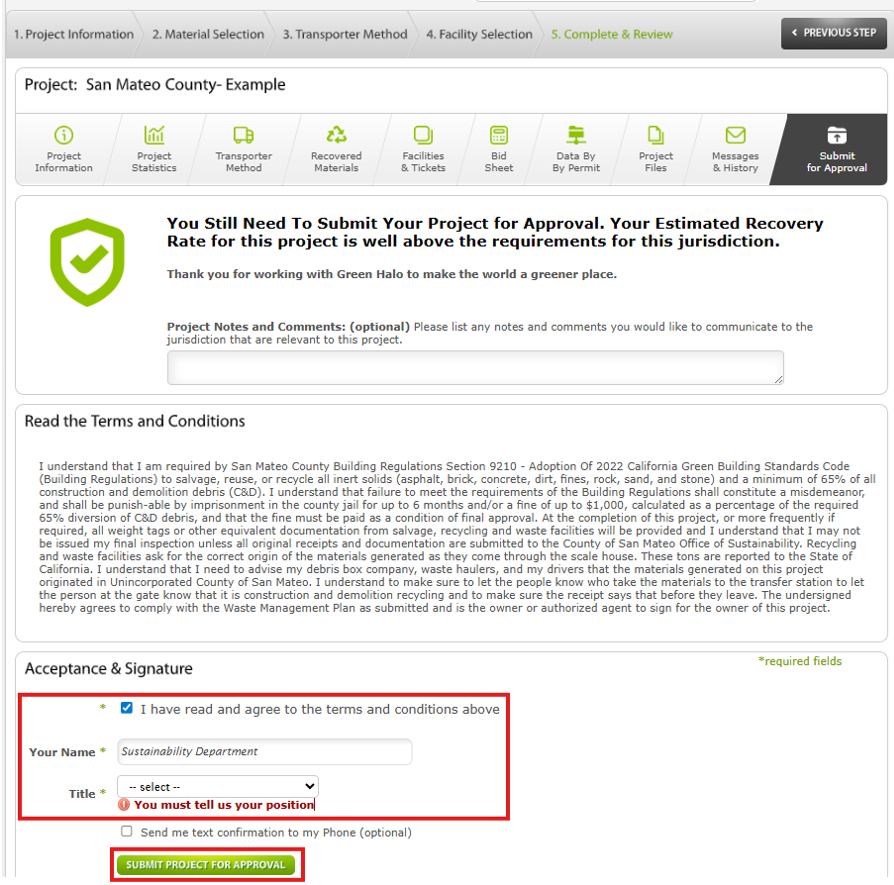
Step 8: Complete & Review
Review the terms and conditions and complete all required fields. Once everything is complete, click Submit for Approval to send your project to the County.
Step 9: County Approval
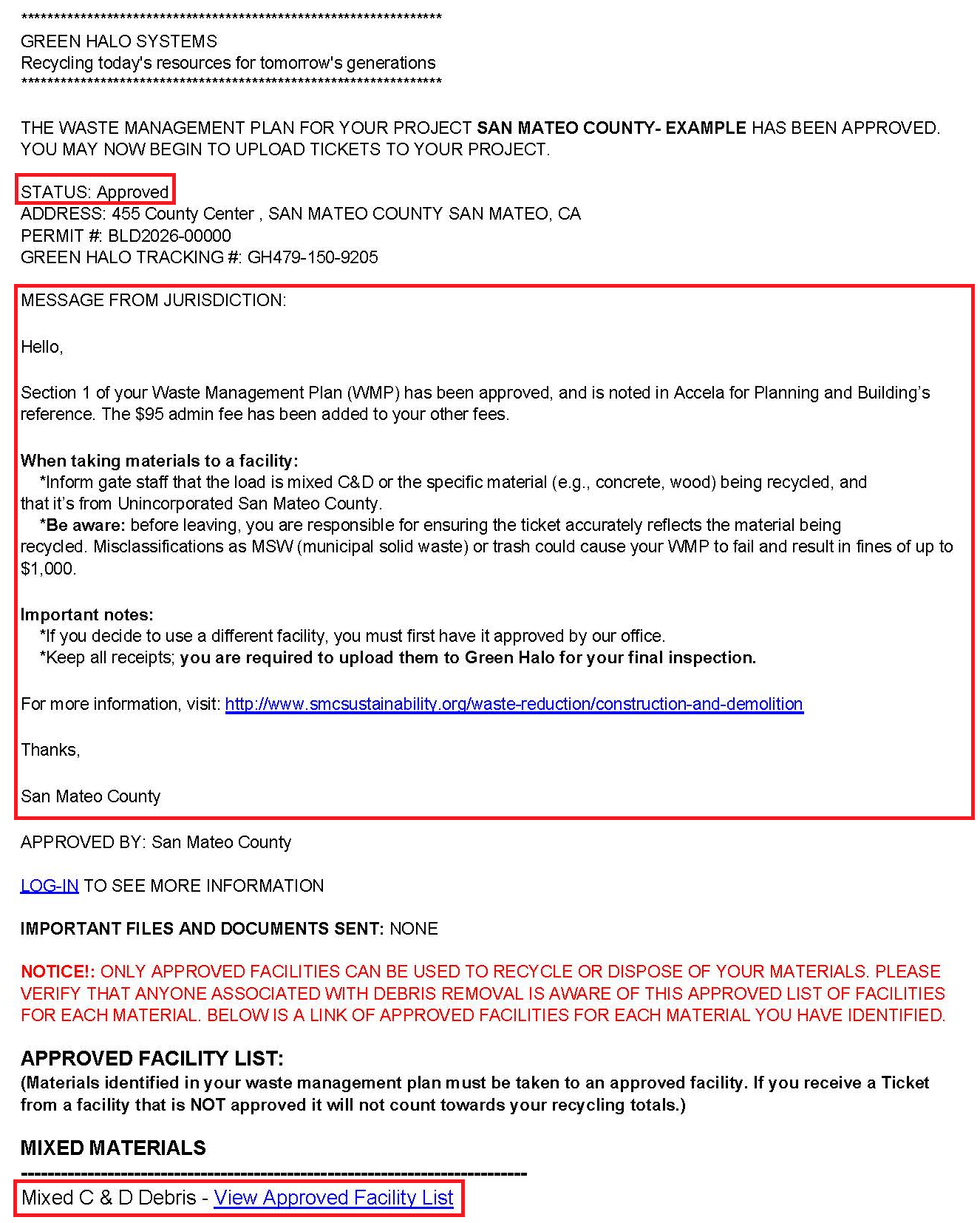
County staff will be notified once you submit your plan for approval. Please allow up to 48 hours for review. You will receive an email from Green Halo Systems when Section One of your Waste Management Plan is approved.
Follow the recycling guidance provided in the email, and save all recycling and disposal tickets.
Step 10: Enter Tickets Into Green Halo on an Ongoing Basis
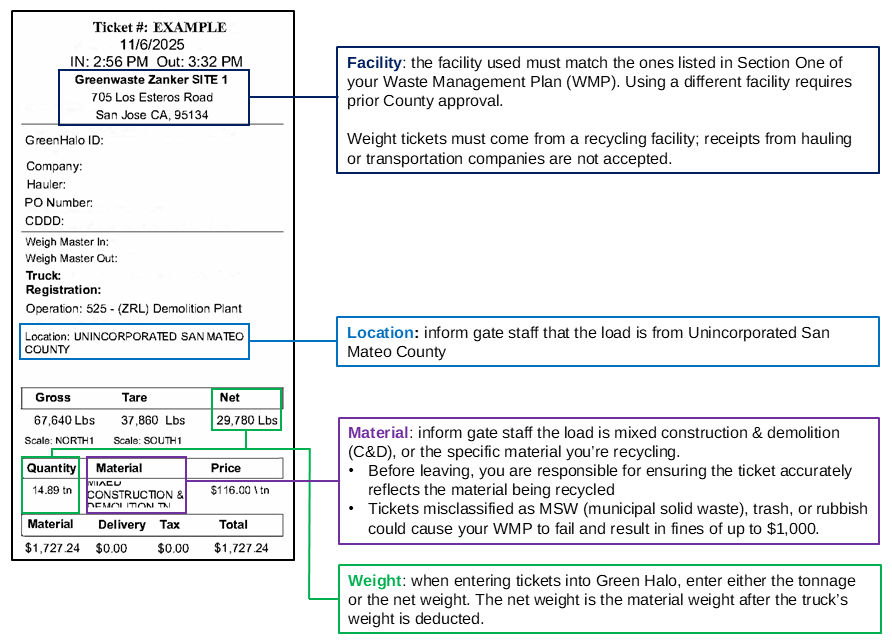
The following is an example of an approved weight ticket. Follow the corresponding guidance when bringing materials to a recycling facility and entering tickets into Green Halo.
Add tickets on an ongoing basis, rather than waiting until the end of the project. Delayed entry increases the risk of lost tickets, contractor turnover, or other issues that could result in a fine of up to $1,000.
For instructions on entering tickets into Green Halo, click on the “Section Two: Plan Inspection” dropdown.
All single-family residential whole building demolition projects that require a demolition permit must complete a deconstruction survey provided by a third party approved by the Building Official, or designee. The survey must itemize all reusable and salvageable materials from the project.
Note: A deconstruction survey is not required for the demolition of unpermitted structures, commercial buildings, or partial demolitions.
Step 1: Select a Deconstruction Survey Company
Refer to page 5 of the Construction, Deconstruction, & Demolition Guide (PDF) for a list of companies offering deconstruction surveys, and select one to perform the survey.
Step 2: Upload the Deconstruction Survey
Once the selected company completes the Deconstruction Survey (PDF), upload it to your Project Files in Green Halo for review and approval.

Step 3: Recover Materials Before Demolition
After the County approves your Waste Management Plan and deconstruction survey, take at least 10 days to recover as many reusable or salvageable materials as possible prior to demolition.
While recovery is not required, it is highly encouraged and will increase your overall diversion rate.
Once your project is complete, upload all associated reuse, donation, recycling, and disposal tickets to Green Halo.
Step 1: Login to Green Halo
Login to smcgov.wastetracking.com.
Step 2: Select Your Project
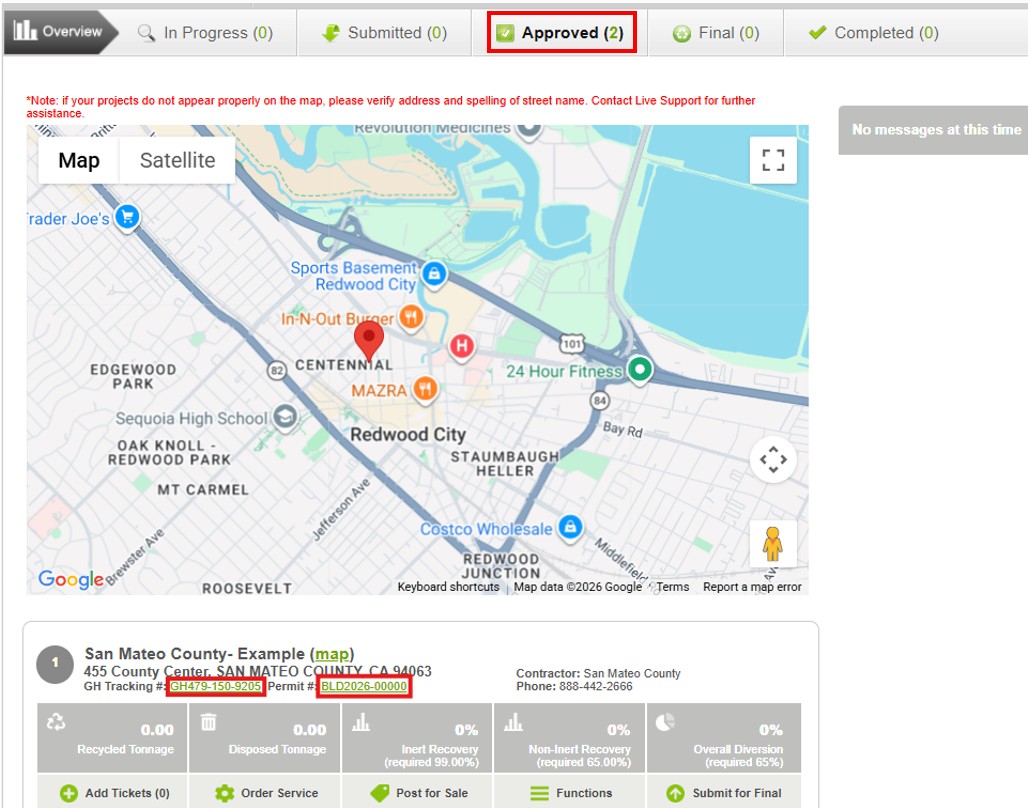
From your Dashboard, click Approved. Go to your project, and click on either your GH Tracking # or Permit #.
Step 3: Add Tickets
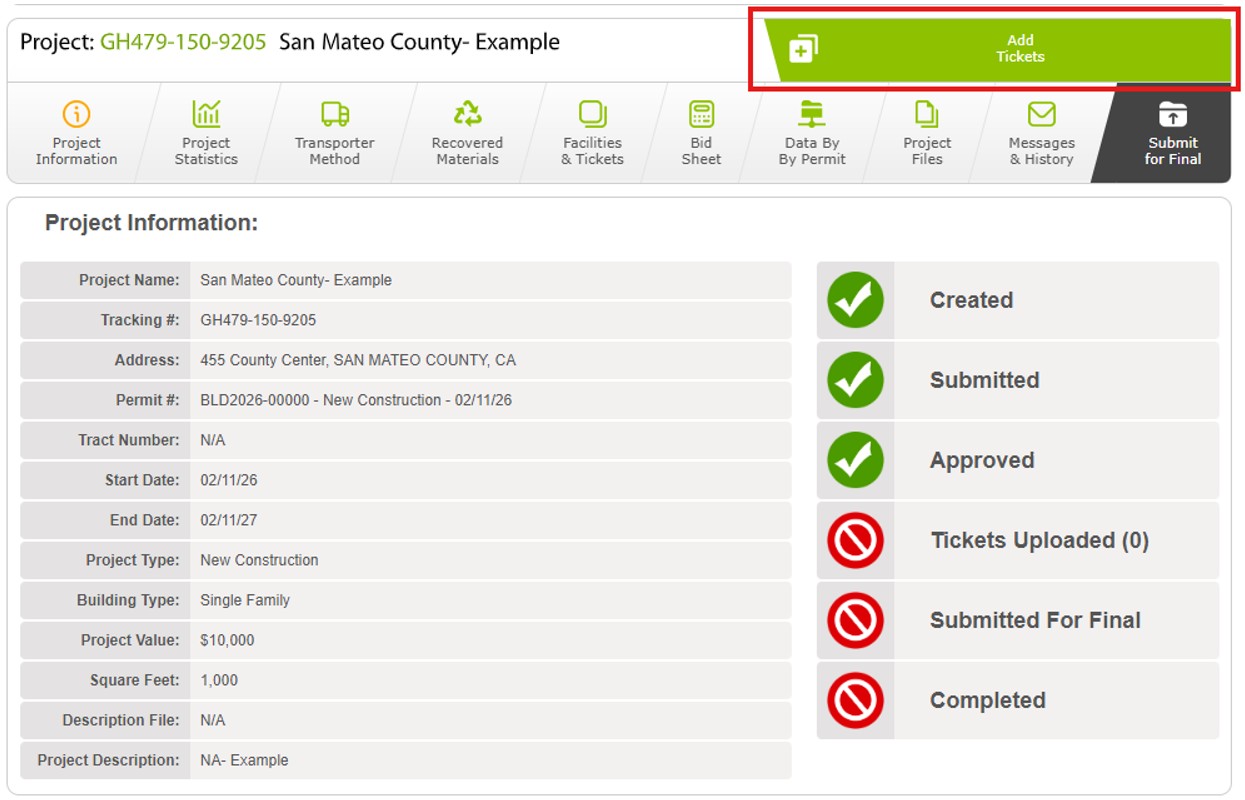
Click Add Tickets.
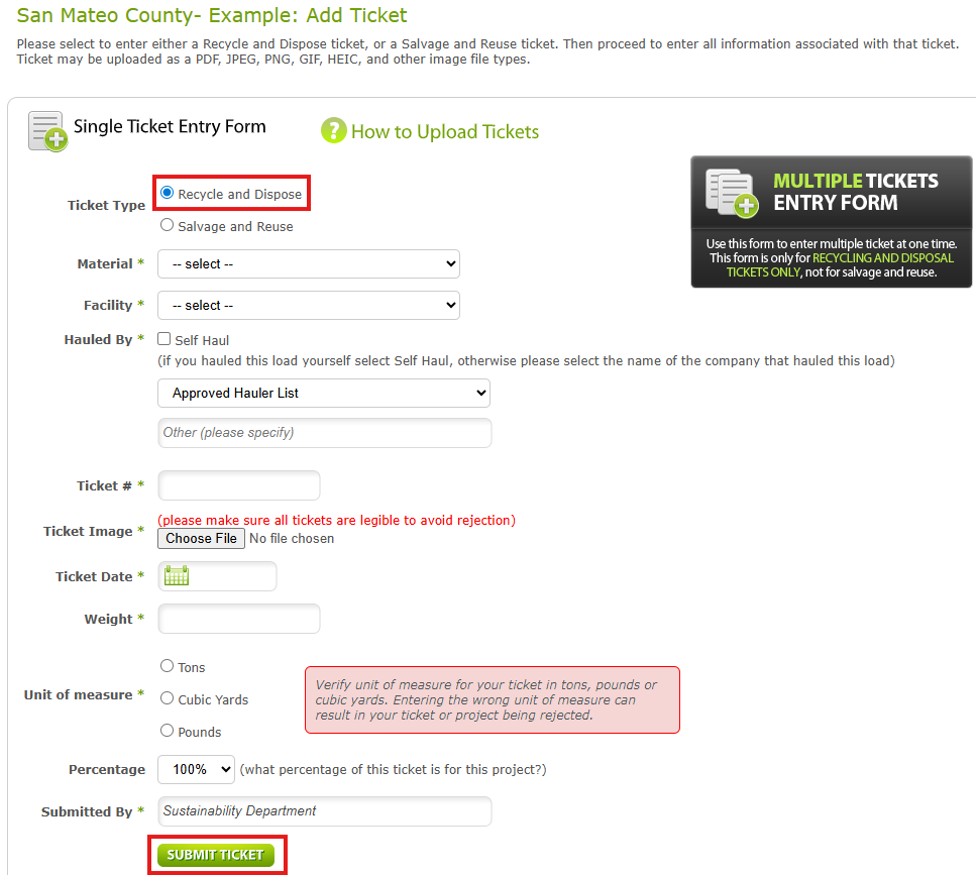
Step 4: Recycle and Dispose Tickets
Enter the recycling and disposal tickets from your project:
- Free plan: you can only add one ticket at a time. Continue entering tickets until all have been uploaded
- Paid Plan: you may use the Multiple Tickets Entry Form to enter multiple tickets at one time
- Only tickets issued by recycling facilities are accepted; tickets from hauling or transportation companies are not allowed
- Upload one image per ticket; do not combine multiple photos under a single ticket
Step 5: Salvage and Reuse Tickets
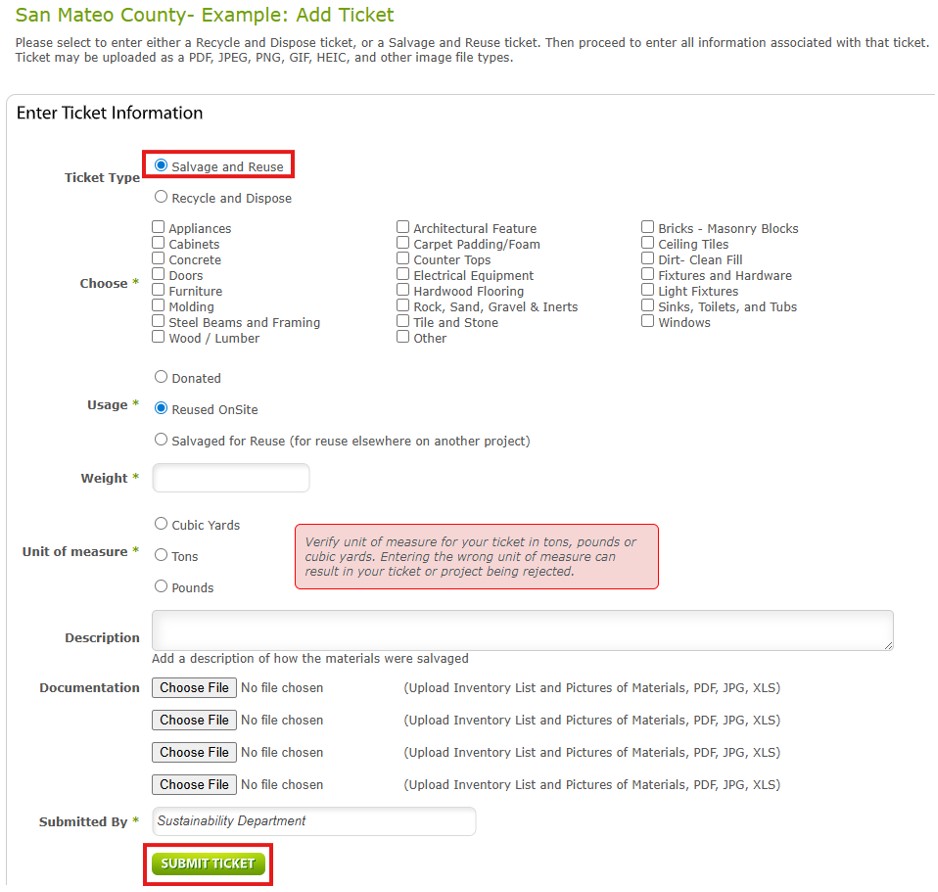
If you reused, donated, or salvaged materials from your project, select this option, complete the form, and upload any available receipts or photos. These materials will count toward and increase your diversion rate.
You may use the Reuse Weight Calculator (Excel) to estimate the weight of your items.
Step 6: Submit for Final
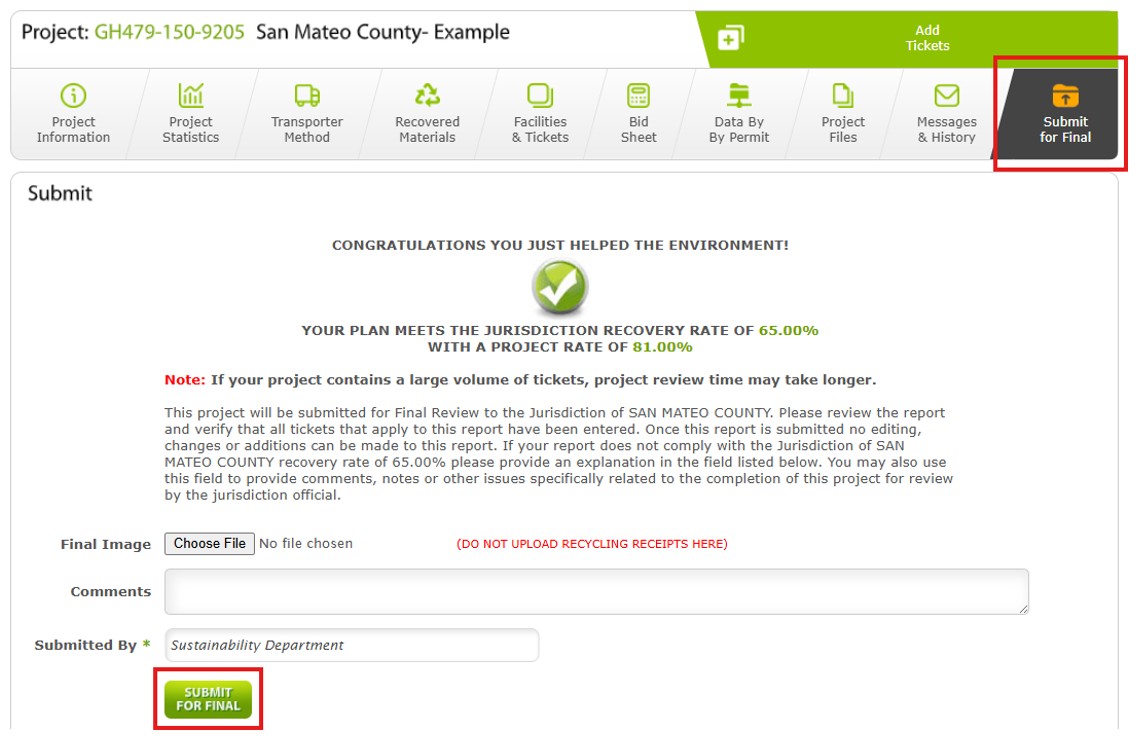
After uploading all tickets, from your Dashboard click Submit for Final. On the bottom of the page, click Submit for Final to officially submit your plan to the County.
Step 7: County Review and Final Approval
Please allow up to 48 hours for the County to review your plan. You will receive updates via email from Green Halo Systems.
- Further Action Needed: if additional information or documentation is required, you will be notified via email from us through Green Halo.
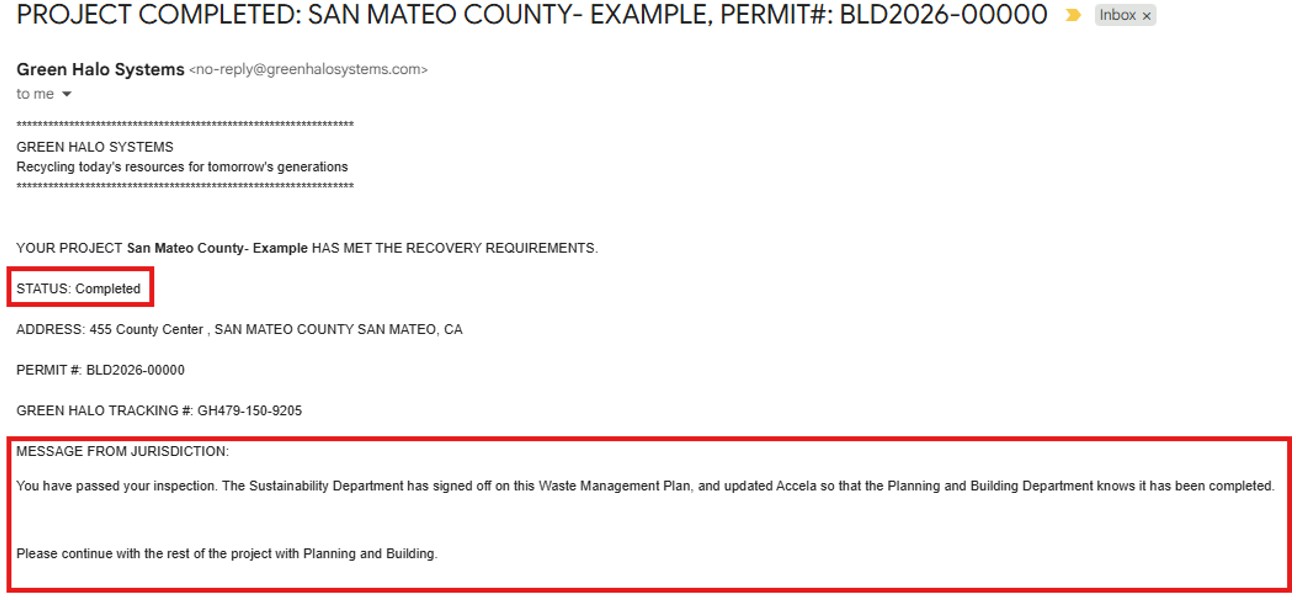
- Project Final Approved: if your project meets the 65% minimum recycling rate, you will receive a confirmation email stating that your plan has been approved.
Projects that fail to provide the required receipts or do not meet the 65% minimum recycling rate may be subject to a fine of up to $1,000.
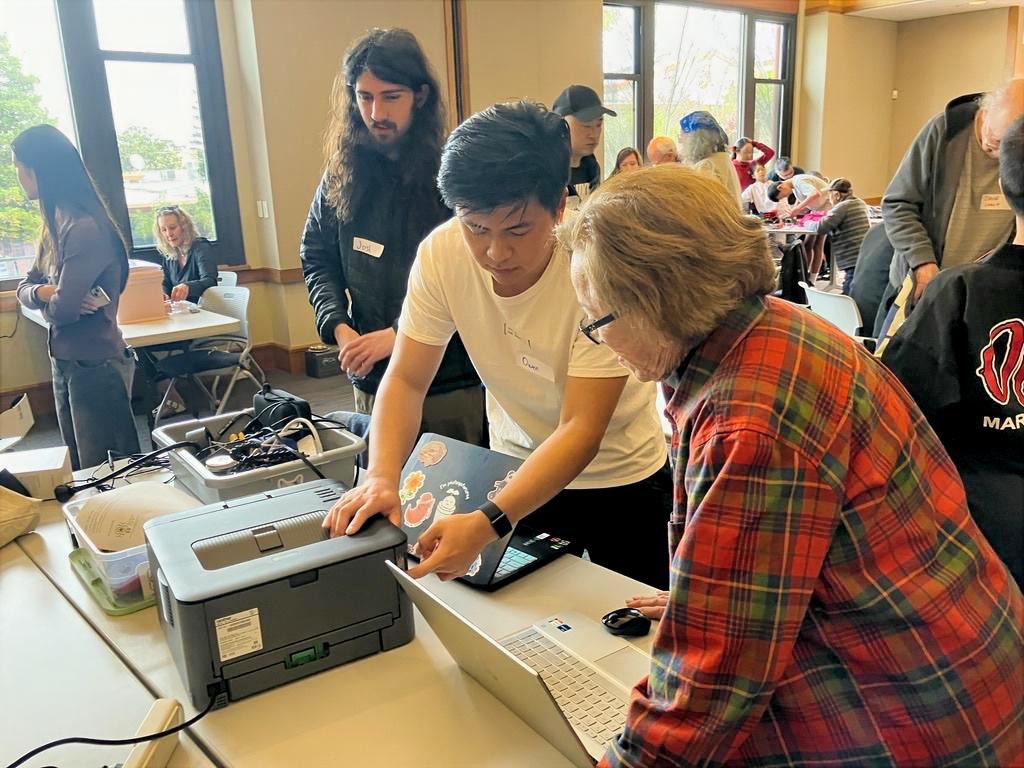
Fixit Clinics are fun community-based workshops where neighbors, friends, and families work collectively to learn how to repair broken items. We’ll provide a workspace, specialty tools, and volunteer Fixit Coaches to help you troubleshoot and provide routine maintenance to your household items and appliances!
Register at https://bit.ly/itemcheckin.
Interested in being a Fixit Coach?
It’s easy! Provide participants with 1) guidance on tools and 2) encouragement to investigate their broken item. Let them talk about how they used it and how it broke. That often provides valuable hints as to what’s wrong. See how much you can do without actually handling the item. Empower the item’s owner to do the troubleshooting and disassembly. Register to be a Fixit Coach here.
This event is hosted in partnership with the San Mateo County Libraries.

Climate Action in Your Kitchen: How to Prevent…

